

By Shelly Brisbin
August 2, 2022 8:59 AM PT
OmniFocus and Voice Control: Let your voice be your taskmaster
We told you a couple of weeks ago about the latest update to OmniFocus, the task manager from The Omni Group, which adds an interesting new way to control the app – with your voice. Now we’re going to take a closer look at how it works.
Speak to the Task Manager
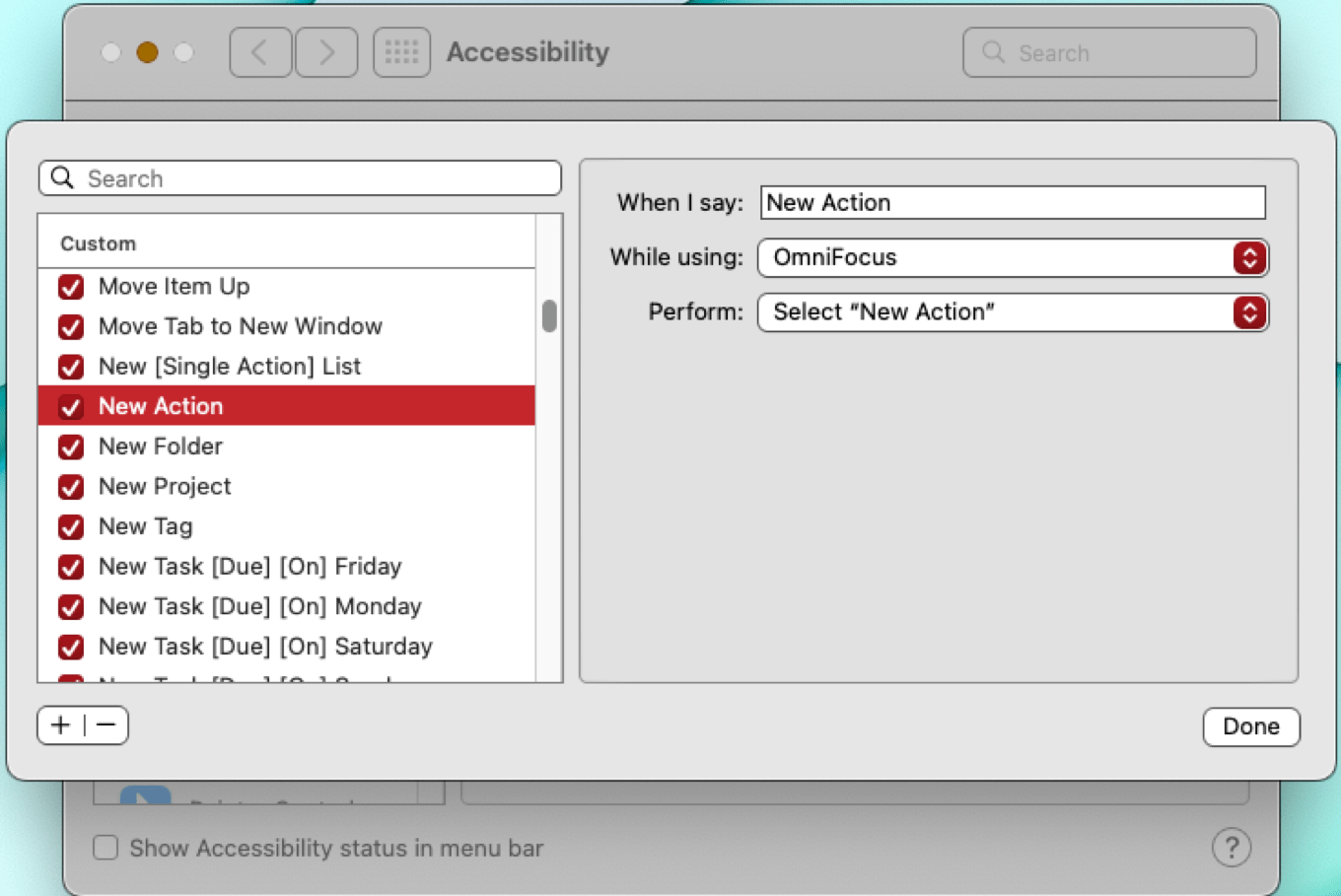
The Omni Group says that OmniFocus, plus Voice Control, plus custom voice command scripts you install on your Mac or iOS device, give you full control of the app with your voice. Create tasks, change their due dates, add information, export them, and use any OmniFocus menu item.
OmniFocus’ new voice commands rely on the Voice Control accessibility feature that’s built into macOS and iOS. Enable Voice Control, then use simple spoken commands to have OmniFocus do your bidding. Behind the scenes, OmniFocus uses the Omni Automation scripting implementation to make it all work on the Mac. On iOS or the Mac, voice commands can also trigger shortcuts.
Omni Automation is based on Core JavaScript in WebKit. All Omni apps support it, but OmniFocus is the first to allow control by voice. Omni Automation’s Open URL action encodes a URL within the script, allowing it to be sent to the receiving application when activated – in this case, by Voice Control.
Understanding Voice Control
Voice Control is designed for users with physical disabilities that make manipulating a mouse or keyboard challenging. It’s available in macOS Monterey and later, and iOS 14 and later. Voice Control includes commands that work on the OS level, a significant number of dictation entry and editing options, and a grid-based overlay that allows the Voice Control user to indicate the location onscreen (identified by number) where an action should be taken, like selecting or opening something. (Don’t confuse it with “classic” Voice Control, which Apple added to iOS in 2009, before Siri came along, and left in place long thereafter. Classic Voice Control let you Initiate a phone call or play a song, but not much else.)
Supercharging Voice Control for OmniFocus
Modern Voice Control offers some basic functions that are common to many apps, like opening, closing, or quitting. But for controlling highly specific elements, especially in a complex app like OmniFocus, Voice Control supports adding custom commands by importing XML scripts. That means you could create your own scripts to build a set of Voice Control commands for any app. Omni Group has done that for OmniFocus, offering a batch of scripts you can download and install, allowing you to create and modify tasks, control palettes, and activate any menu item.
To provide feedback as you use Voice Control, Omni Automation has added a voice synthesis class that makes it possible for scripts to respond via voice to confirm that a command you’ve given has been heard and obeyed. Voice feedback is implemented in the OmniFocus script examples the company provides. Since the scripts are just XML files, you can create your own, either from scratch or by using the Omni files as a template. You can, of course, modify them at will, perhaps to change the command the system responds to, or the spoken response you receive when your command succeeds. You can choose alert sounds instead of a spoken response if you prefer.