The new Macs are here! The new Macs are here! But Apple would like iMac fans to go ahead and buy the 24-inch model, please. Meanwhile, remember Intel?
Happy new Macs to all who purchase and celebrate
Reviews of the new Macs are out and, just between you and me…
…come a little closer…
…they’re apparently good machines.
I know, right?
Spoiler alert: these new Macs are faster overall than the previous Macs. Some might say the M3-based MacBooks are the fastest MacBooks Apple’s ever shipped. In fact, Apple said that very thing. Which is what they say every time they update the MacBook Pro.
Still, the consensus about the now-shipping machines is pretty clear: they’re good Macs! Jason says “the Apple silicon iMac is charismatic and fun”.
What was surprising was to find that many units shipped not with the latest and greatest operating system, but with macOS Ventura, leading to a bit of confusion. Apparently Apple has been holding these devices for a while, perhaps building up stock. Or maybe they were just so good the company selfishly wanted to hang on to them.
Sometimes you get attached. It happens.
The Goldilocks iMac
As a rule, you should never hold your breath for Mac updates. I don’t care if you are a professional free diver, Brenda, that’s just too long for a human being to hold their breath!
Looking to cut off any severe cases of oxygen deprivation, Apple told several media outlets this week that it has not working on a 27-inch iMac. An Apple spokesperson was heard to remark “24 inches should be enough for anyone.”
I mean, maybe. That’s gotta be a joke someone at Apple’s made.
Now, you might be saying “Ah! But the rumors of a larger iMac were about a 32-inch model! Surely, then, that is what they’ll start selling any day now!” First of all, really consider what sort of image you’re projecting by talking aloud to a web site. Everyone at the coffee shop is slowly moving away from you. Second, sure, it’s possible Apple is telling people out of one side of its mouth that the 24-inch iMac is where it’s at — the sweet spot (not to be confused with the sweet solution) — while working out the other side of its mouth on its secret GIANT IMAC PROJECT. But it’s also possible they’d rather get you to spend more money on a Studio Display and a Mac mini or Mac Studio.
We’ve spent a lot of time talking about how confusing some of Apple’s product lines are. Maybe we shouldn’t be chomping at the bit for another iMac.
Intel still says it’s on
Usually you can tell when it’s on with Intel because of all the fan noise (zing!) but in case you couldn’t, Intel CEO Pat Intel…
Wait, that’s not his name. Pat Gelsinger, that’s his name. (Look, we call Tim Cook “Tim Apple”, would it kill him to be “Pat Intel”?)
Anyway, Intel. Apparently they still make processors. Really. Not only that, they’re set to make processor magic.
The company has set its sights on making faster processors faster, by which I mean more quickly. Fast processors delivered fastly.
Hey, there’s a free catchphrase for you, Pat Intel. Use it in good health.
Other than getting better performance per watt, the other reason Apple and Intel parted ways was because of Intel’s slow delivery schedule, exacerbated by the company’s insistence on spending two weeks camping out at every lake it was going to name a processor after. (Not a true story as far as I know.) Now, after Apple’s departure, a fire’s been lit under Intel’s behind. Or is it sitting on one of its own processors? Tough to tell the difference.
The company does have its work cut out for it in terms of delivering processors than can match Apple silicon in terms of performance per watt, but let’s say this battle is just heating up.
Because of the excessively high temperatures that Intel processors run at.
They’re warm processors. I can’t stress that enough.
[John Moltz is a Six Colors contributor. You can find him on Mastodon at Mastodon.social/@moltz and he sells items with references you might get on Cotton Bureau.]
My thanks to Kolide for sponsoring Six Colors again this week.
AI is a hot topic in lots of businesses, but most companies still haven’t come up
with policies to manage AI usage—and employees are potentially handing over all sorts of sensitive data to tools that may or may not be trustworthy.
Browser extensions that offer AI features, but steal user data, are everywhere. That’s why many companies—including Apple—have banned their employees from using large-language models. And that’s just one potential attack surface.
Kolide lets IT and security teams write checks that detect device compliance issues, and have started creating checks for malicious (or dubious) AI-based tools. Here’s a video about how Kolide can help companies enforce device compliance.
Last week Apple announced its fiscal fourth quarter results, posting another flat sales quarter even as profits (and services revenue) continue to rise. And as usual, I filled a bunch of numbers into a Number spreadsheet, ran my little charting Automator app, and out popped out a bunch of colorful charts.
It being the fiscal fourth quarter, of course, means it’s also the end of Apple’s fiscal year. And that gives me the opportunity to cart out a separate set of charts, ones that take the longer view and show the changes in Apple’s business over an entire year.
Let’s dig in to the charts, starting with the big one, overall Apple revenue for the last 25 years:
After the revenue rocketship that was fiscal 2021, the past two years have been a lot quieter. While 2022’s record revenue is the proverbial “tough compare,” the fact that the company has held on to most of the revenue from that record year and the enormous growth spurt in 2020 is still pretty impressive. Unless you are Wall Street and looking for signs of more growth.
Speaking of growth: The last two times Apple posted a blow-out fiscal year—2015 and 2018—it backslid the next year. That didn’t happen last year, but this year we did finally see the inevitable backslide. The key lesson here is, if you keep having those quantum leap years, Wall Street won’t get too grumpy when you have a few middling years afterward.
Of course, the driver of half Apple’s revenue is the iPhone, so as the iPhone goes, so goes Apple:
The iPhone’s slight backsliding in total revenue more or less matches Apple’s own story. Instead of spiking and then dropping down, as it did during the past boom years, this latest cycle featured a spike, a slight increase, and a slight drop. I don’t know what 2024 has in store for Apple, but I have my doubts that iPhone revenue is ever going down below $200 billion again.
Let’s look at the Mac, which followed up its record-breaking 2022 with a horrible year, relatively speaking:
2021 was a massive sales jump for the Mac, and 2022 took it even further. The combination of COVID lockdowns driving sales and Apple moving to Apple silicon led to Mac sales the likes of which we’d never seen before.
This year the Mac came back to Earth. At $29.4 billion, sales were actually up slightly from 2020’s $28.6 billion. What seemed like a rocket to the stratosphere now looks like a two year aberration. The good news for Apple is that after all those new sales, the Mac didn’t regress back to its late-2010s sales numbers. Instead, even with a precipitous decline in sales, the Mac sold more in 2023 than it did in 2020.
My guess is that the Mac will resume its slow build from this new baseline and we’ll see Mac sales in the low $30 billion range for the next few years. A less bullish person might warn that we’re still seeing the downward slope of the sales spike, but I really can’t imagine the Mac going below the numbers it consistently hit in the mid-2010s. I’m going to guess that 2021 and 2022 didn’t just feature existing Mac users refreshing their devices, but also new Mac users coming into the market, expanding the user base and pushing the “regular” Mac sales year to a new plateau. I guess we’ll see in a year.
Last year was rough for the iPad, but this year—with no new iPad announcements at all!—was rougher:
After a nice spike in 2021, iPad sales are down for the second consecutive year. However, it’s all a matter of perspective. Even in a year with no new iPads, $28 billion in iPad sales means that the iPad had its third best sales year since 2015.
Will history repeat itself, with the iPad receding into a six-year slide into the doldrums of low-$20-billion years? I’m doubtful. My expectations are that the iPad is going to live in the upper $20 billions now, and next year might be even better because of a complete refresh of the line.
Now let’s look at the popular and growing Services and Wearables, Home, and Accessories lines:
After eight straight years of annual growth, Wearables took the year off. $40 billion is still a huge number (more than double the 2018 total!) but there’s a lack of growth here that probably won’t be cured by the arrival of Vision Pro next year.
But Services continues to grow, and at a similar pace to its growth last year. Services has rapidly become Apple’s second most important financial line after the iPhone.
This brings us to the final chart, which I run here every year just to put all of Apple’s product lines in the proper context. When I run the numbers as individual charts, they all seem more or less the same. But they are very definitely not all created equal. (It’s still impressive to see Services lift away from the others, though.)
Meet you back here next year for more annual charts!
Last week, Apple reported its financial results, and they were the kind that answered the question, “Under what circumstances would financial analysts look askance at nearly $90 billion in revenue and $23 billion in profit?” (Answer: When that company is Apple, and it’s posted lower year-over-year revenue numbers in five of the last six quarters.)
After a couple of years of growth so sudden and massive that cosmologists are analyzing it for clues to the inflationary period during the first few moments of the universe, Apple has spent the year-plus… flat. Very huge and profitable flat, but flat nonetheless. Wall Street, so focused on growth, is a little perplexed.
As is tradition, Apple CEO Tim Cook and CFO Luca Maestri hopped on a conference call with financial analysts after the results. And they let the rest of us listen in like little sneaky eavesdroppers. Here are a few of the things I took from what Apple’s execs had to say.
Troublesome software bugs, our thoughts on tech companies’ involvement in standards creation, iMessage interoperability, and what we think about video game movies and TV shows.
My point wasn’t to ask Apple to make the Mac less secure. It was for Apple to find some ways to improve the user experience while keeping Mac users safe by default. It feels like there’s an imbalance where security is being prioritized but the user experience is allowed to lag, and it’s a problem.
This issue was brought home to me last week when I was reviewing the M3 iMac and the M3 MacBook Pro. As a part of reviewing those computers, I used Migration Assistant to move a backup of my Mac Studio to the new systems via a USB drive. Sometimes I try to review a computer with nothing migrated over, but it can be a real slowdown and I didn’t really have any time to spare last week.
Anyway, by migrating, I got to (twice) experience Apple’s ideal process of moving every user from one Mac to the next. You start up your new computer, migrate from a backup of the old computer, and then start using the new one. There’s a lot that’s great about this process, and it’s so much better than what we used to have to do to move files over from one Mac to another.
And yet all of Apple’s security alerts got in the way again and spoiled the whole thing. Here’s a screenshot I took right after my new Mac booted for the first time after migration:
What’s happening here is that Migration Assistant has migrated all my apps, and has automatically launched any of them that are listed in Login Items or are set to automatically launch in the background. They all launch, all at once, and every single one of them then prompts me for permission to do all the things they already had permission to do on my previous Mac.
In this screen shot, I’ve dragged them apart, but in reality most of these windows appeared on top of each other. They float above every other window, and most of them want to open various portions of the Settings app. In the background, a few apps have launched with their own alert prompts, requesting that I perform more tasks in order to get the system ready.
This wasn’t the end of it, of course, because after dealing with one of these windows there was a pretty good chance the app in question would then spawn an additional window asking for a different permission. For the ones that require specific changes in the Settings app, I had to slide the Settings app somewhere where it wouldn’t be covered by various other floating windows and then deal with the requests there.
Often, different apps would seemingly fight over my attention, demanding that I go to a different portion to the Settings app. They would sometimes even demand permission I had already granted, since I was in the right part of Settings and decided to save time by approving a couple of apps at once.
At some point I also triggered this cascade of alerts, which was hilarious:
I really enjoyed this piece by Sam Byford of Multicore about how the Chinese smartphone market differs from the rest of the world:
Unlike the U.S., the Chinese phone market is extremely competitive from top to bottom. At the high end you have Apple, of course, then there are Android options from Huawei, Oppo, Xiaomi, and Vivo, all of which make legitimately excellent hardware at this point…. What this means is it’s really easy to switch phones in China. If you have an iPhone in the U.S., you’re likely locked into iMessage, but in China that’s a non-factor because of WeChat. If you have a Samsung phone in the U.S., meanwhile, your only other real high-end options are niche players like Google and OnePlus. Smartphone users in China — and there are more than a billion of them — can hop from Xiaomi to Apple to Huawei with much less friction.
Byford explains the important role Xiaomi plays in the ecosystem and why a camera brand like Leica would partner with a company that, to western eyes, seems like it’s making “knock-offs.”
Jason has reviewed the new M3 iMac and M3 MacBook Pro, and Myke asks him for all the details. We also discuss why the large-iMac era is at an end, and review Apple’s recent quarterly financial results.
We got together with Backstage members live on Zoom earlier today to discuss the M3 chips, the new MacBook Pro, and the new iMac. Since this is particularly timely, we’re going to release this recorded version for all More Colors and Backstage level members.
After nearly two and a half years, the iMac has finally gotten its update. The venerable desktop Mac was a late addition to the first generation M1 processor, but now it’s in the vanguard of Apple’s M3 chip generation. As a result, the iMac isn’t just a colorful all-in-one desktop Mac—it’s also likely representative of the performance characteristics of every M3-based Mac to come, most notably the MacBook Air and Mac mini.
There are two stories here. Let’s start with the computer, and then I’ll get to the chip stuff.
But, oh, this generation of MacBook Pro does offer a few new wrinkles. There’s the debut of the M3 processor, of course, with all three different chip variants available in the 14-inch model for the first time. And by dropping the old 13-inch MacBook Pro, Apple is making the modern MacBook Pro design available at a new, lower base price.
I’ve spent nearly a week with a 16-inch MacBook Pro running an M3 Max processor. And while the gorgeous screen and wide array of ports were quite familiar, the speed of the processor suggests that it’s never been more true that the MacBook Pro can be a Mac Pro in your backpack—if you want it to be.
Previously, on MacBook Pro
In case you’ve never used a 14- or 16-inch MacBook Pro with Apple silicon, here’s a quick tour of what this generation brings. Let’s start with the looks: the corners are noticeably curved but the edges are much tighter, eliminating the feeling of gentle, gradual curves.
The screen is the showcase on these laptops: a 120-hertz ProMotion display with a wide color gamut, backlit by mini-LED technology that allows it to run bright and peak even brighter, while also maintaining black levels that contribute to a remarkably extended level of dynamic range. It looks incredible when viewing HDR photos, movies, and TV shows. In the M3 models, the maximum brightness of the display in standard dynamic range mode (which is everything except those photos, movies, and TV shows, essentially) is brighter, with a maximum brightness that matches the Apple Studio Display. It’s a difficult one for Apple to call out as a feature boost—”it’s brighter in the mode that isn’t bright” is a tough sell—but the net result is that this display can get a lot brighter in the mode you’ll use 99% of the time.
There’s also a notch in the display. It’s not very big—a little more than 180 points wide and 30 points tall—but it’s smack in the middle of the menu bar. This allows Apple to pull the borders of the screen in—they’re much smaller than on previous MacBook Pros—while still keeping space for the 1080p webcam.
In practice, I never really notice the notch. It’s as high as the Menu Bar, so it doesn’t block content. Most apps don’t have enough menus to reach across the bar. (If you have too much stuff in your menu bar, I do highly recommend Bartender.)
Apple’s new standard Magic Keyboard is excellent, and returns traditional function keys while consigning the Touch Bar to the dustbin of history. Laptops with the Max or Pro chip will find three USB-C/Thunderbolt ports, including one on the right side. There’s also an SD card slot, back from the dead, and HDMI video out. And of course, MagSafe is available for fear-free magnetic charging that doesn’t take up one of the USB-C ports. (You can still charge via USB-C if you want, and the MagSafe cord goes to standard USB-C, so you can use any USB power brick—within reason—to charge via MagSafe.)
Apple laptop shades (top to bottom): Midnight, Silver, Space Gray, Space Black.
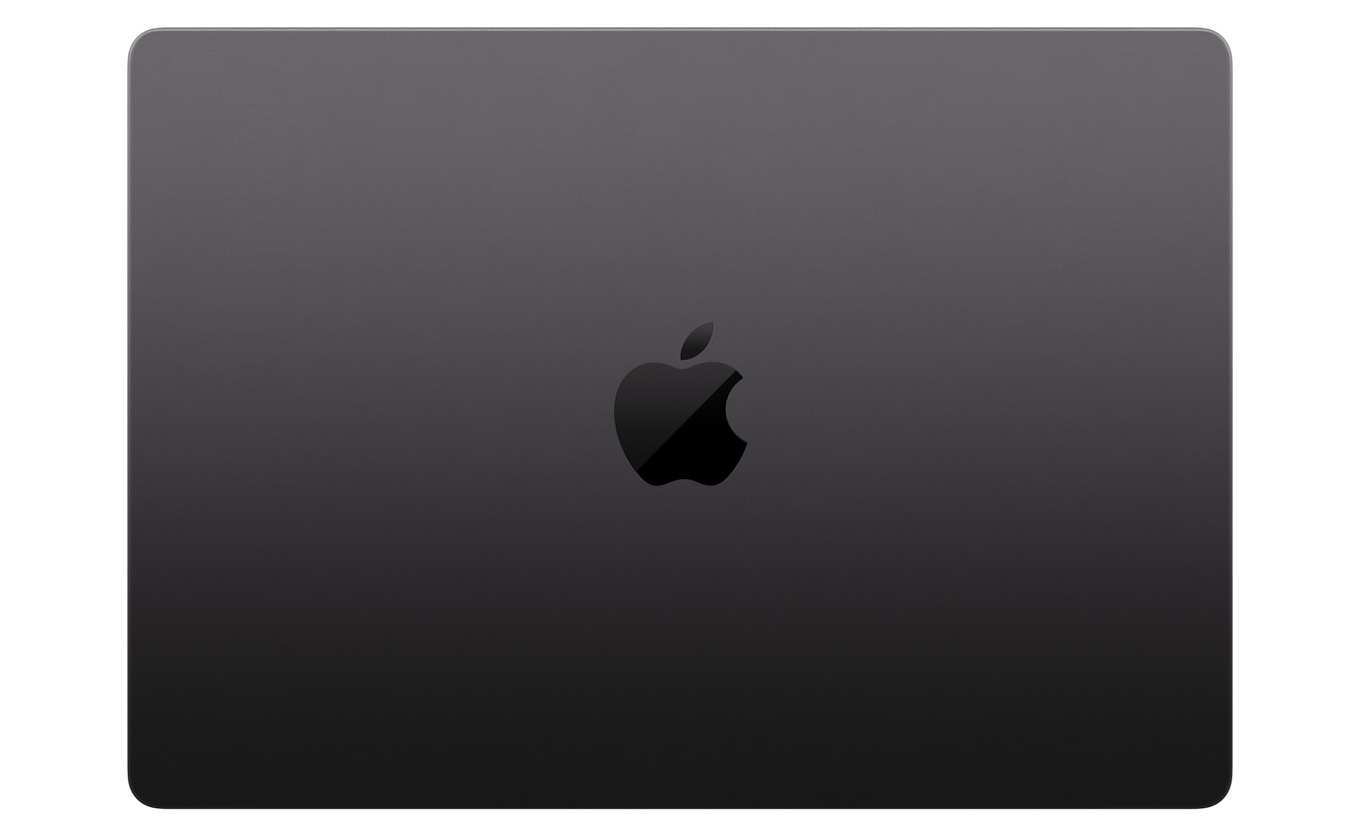
Perhaps the most notable “design” change in these laptops is the introduction of a new color, available only on models with the M3 Pro or M3 Max processor: Space Black. According to Apple, this new color features a chemical change to the anodization seal on the device’s aluminum frame that makes it better at repelling liquids, including the oils that cause us to leave fingerprints all over our devices.
The Space Black MacBook Pro (beneath) definitely collects fewer fingerprints than the Midnight MacBook Air (above).
The short version: Yes, the Space Black laptop’s a lot darker, and yes, it’s better than other Mac laptops at repelling fingerprints. But before you go to extremes, I also need to warn you: Space Black isn’t really black. It’s a dark metallic gray. It’s noticeably darker than any previous MacBook Pro, to be sure, but if you’re expecting black, like the old polycarbonate MacBook, or even ultra-dark, like the Midnight M2 MacBook Air, or even the black aluminum frame between the keys on the MacBook Pro keyboard, you won’t get it.
Three anodized objects under bright light: Space Black MacBook Pro (left), Midnight MacBook Air (right), with black SSD on top.
As for fingerprints? I found that it was absolutely possible to put fingerprints all over the thing. But it was harder to do than on other laptops, including my beloved Midnight M2 MacBook Air. And it was easier to wipe them off. It’s a great step forward. Just don’t get outraged when you spot fingerprints on it, okay?
Questions of identity
What makes a MacBook Pro a MacBook Pro? In the last couple of years, that had been a difficult question to answer because Apple sold a 13-inch MacBook Pro model that had few of the attributes of the 14- and 16-inch models—not the processor, not the design, not the arrays of microphones and speakers, not the full array of physical function keys, and most definitely not the spectacular XDR display.
With the M3 generation, Apple has rejiggered the lineup in a way that makes a lot more sense. The old 13-inch model has finally been retired, but its reason for existence—the ability to start the MacBook Pro line at a price lower than $2000—remains. After a couple of years in production, Apple is finally able to sell a version of the modern MacBook Pro, complete with that product-line-defining display, starting at $1599. But to reach even that price, the low-end model is equipped with the base M3 processor, the same one that powers the M3 iMac and will presumably appear in the MacBook Air and Mac mini as well.
This means that the M3 14-inch MacBook Pro will have all the limitations of the M3 processor, which (like its predecessors, the M1 and M2) has a pretty hard cap on USB ports and external displays. The M3 processor can only drive one external display, so—like the old 13″ MacBook Pro and the MacBook Air—this laptop won’t work in a setup with two external displays, not even with the lid closed. It’s also missing that convenient extra USB-C port on the opposite side of the laptop from the other two ports.
If my superlatives haven’t already made it clear, I think that today’s MacBook Pro is defined primarily by the display. The M1 and M2 processors were always part of the MacBook Pro line—and now, so is the M3. But buyers of the 13-inch MacBook Pro didn’t just have to settle for a lower-power chip—they had to use it in an outmoded package. I’m excited that every M3-era MacBook Pro has so many more features in common, even if a few have been omitted from the lowest-end model.
The chip story
All three M3 variants are available as options on a 14-inch MacBook Pro.
The MacBook Pro Apple supplied me for review was a 16-inch model with an M3 Max chip with 16 CPU cores and 40 GPU cores. Because I also reviewed the M3 iMac, it means that the only chip I didn’t get to test out is the M3 Pro, which has been more clearly positioned as a mid-range model. I look forward to seeing how that chip performs, since I didn’t get a chance to use it myself.
The M3 Max, meanwhile, seems to have improved over the prior chip generation in ways that the M3 and M3 Pro haven’t. This is the chip where Apple seems to be putting its foot to the floor, trying to generate maximum performance for its most demanding customers. (As a result, the chip ain’t cheap—you can’t get one in a MacBook Pro for less than $3199.)
These days, it’s awfully difficult to pin down the overall performance of any given chip. An Apple silicon processor has multiple CPU cores of two different types (performance and efficiency), GPU cores, Neural Engine cores, and of course other onboard processing blocks that are more efficient at specific tasks (like video encoding and decoding) than software would be. Depending on the kind of work you do and even the specific software (or even version of software!) you use, you may see very different results than someone else with different software and workflows.
Fortunately, when testing the M3 Max, a lot of my concerns were alleviated by the fact that it just seems faster in every conceivable dimension than its predecessors, usually by quite a lot. Individual M3 CPU core performance is better, of course, and in Geekbench’s multicore performance tests it couldn’t even be beaten by M1 Ultra and M2 Ultra chips. It’s not just that the M3 Max has 16 CPU cores; it’s that 12 of them are of the “performance” variety, half again as many as in the M2 Max, and CPU performance on Apple silicon tends to scale with the number of performance cores available. Apple has loaded the M3 Max with performance, and the results follow from that.
Apple’s new GPU architecture, which features a new cache-optimization feature that squeezes even more performance out of its graphics cores, also shines on M3 Max. In Geekbench’s Metal test, only the M2 Ultra with 76 GPU cores could beat the M3 Max with 40 cores. In Cinebench 2024 GPU rendering tests, the M3 Max almost tripled the score of an M2 Max MacBook Pro. In my (sort of boring) Final Cut Pro test—a 1080p export of a two-hour long video with eight separate HD streams—the MacBook Pro completed the job 14 percent faster than January’s M2 model.
For some tests, I switched the MacBook Pro into High Power Mode, which is now available on both 14- and 16-inch models in the M3 Max configuration. (Previously, it was only available on 16-inch models.) I didn’t actually find it made much of a difference in the tests I was running, but it sure did make the fans kick in at a very loud volume. With the exception of using some heavy CPU tasks in High Power Mode, the fans on the MacBook Pro were either silent or, in some heavier loads, audible but not obnoxious. But if you stress things out enough in High Power Mode, your laptop will sound more like a hair dryer. It’s all in the name of high performance, since all High Power Mode really does is let your fans blow as loud as they need to in order to keep the processor cranking as hard as it possibly can.
What to buy?
Should you upgrade from an M2 MacBook Pro to an M3? Unless you are someone who regularly spends lots of money to get the most performance possible, no. (If you are that person, then absolutely yes!) If you bought an M1 MacBook Pro a couple of years ago… the decision is more difficult than I expected it to be. The M1 Pro and M1 Max chips’ performance is nothing to sneeze at, but the M3 Max chip is substantially faster. It’s a big jump.
As a longtime computer user, I have internalized many painful lessons about spending a lot of money on a computer only to see it rapidly eclipsed by newer, faster models. But as someone with an M1 Max Mac Studio from only a year and a half ago, uh… the M3 Max is so much faster that it’s making even me question my upgrade cycle.
A more interesting question comes at the low end of the MacBook Pro line. Apple’s done an admirable job at getting the starting price of this MacBook Pro $400 lower than it was in earlier generations. But there are a whole lot of tradeoffs baked into that $400 difference, not just the less capable processor but also less than half of the base RAM. If you want more than 8GB of RAM1, that low-end model is now just $200 short of the mid-range model with a better chip and even more RAM.
It makes me wonder how many of these base-model configurations Apple will really sell. For discerning buyers, they’re poorly configured in comparison to slightly more expensive models. They’re also still $300 more expensive than the previous base model, which will likely turn off some budget-minded users and corporate buyers.
I suspect Apple figures some of those users will instead consider the MacBook Air, which now comes in an appealing 15-inch model starting at $1299 and the classic 13-inch model at $1099. Even with storage and memory upgrades, those Airs are priced quite competitively. Yes, buying a MacBook Pro gets you that beautiful screen, active cooling, and a card reader slot, but it all comes at a price. It will be fascinating to see where all those buyers of the 13-inch MacBook Pro choose to go next.
But let me zoom back out to the big picture: Apple’s Mac laptop line, which makes up the vast bulk of new Mac sales, offers what might be the best array of options in the history of the Mac. The MacBook Air models offer value and screen-size options. The MacBook Pro offers a spectrum of laptops from a base model through a powerful (and, I suspect, popular) mid-range, leading to an all-out performance beast at the high end.
If you’re using a mid-range MacBook Pro from the M1 or M2 generations, I don’t think upgrading to an M3 Pro-based MacBook Pro is necessary. If you’re coming from Intel and haven’t taken the plunge yet, this is the perfect time. The 2021 MacBook Pro redesign still feels fresh and new, the display is amazing, and Apple silicon offers amazing performance and battery life without any major compatibility glitches.
But for power-conscious owners of an M1 Max MacBook Pro, it may be time to roll that laptop down or sell it off. The M3 Max chip is a whole lot faster. I know a lot of my app developer friends already have their orders in, and I think it’s the right call. The biggest performance boosts of the M3 generation come on the M3 Max, and during my time with the 16-inch M3 Max MacBook Pro, I was frequently reminded that it was the fastest computer I’d ever used. Returning to my M1 Max Mac Studio, I started a CPU-intensive podcast transcription task and wondered why it was taking so long. I had already gotten used to the speed of the M3 Max for intense tasks like that.
You’ll pay for the privilege, sure. But while the M3 and M3 Pro offer nice improvements to performance, the M3 Max goes all-out. If power and portability matter to you, it’s time to upgrade.
Is 8GB of RAM usable in a modern Mac? I would argue it is, even though it’s not ideal. For a lot use cases, 8GB of RAM is acceptable. ↩
New Macs are here, but not everything you might have expected to get updated was. While people try to make hay over Apple’s claims about the iPhone 15, Apple makes bank on its services.
It truly was a “Good evening!”
Well, there was no skit of Tim Cook trick-or-treating or Greg Joswiak waiting in a pumpkin patch for the, uh, Great MacBook or anything, but Apple did announce new iMacs and MacBook Pros this week, all of them running on M3 processors.
By most accounts these look like great improvements (including the ditching of the Touch Bar), but not everyone was thrilled. Some observers were put out that the bottom of the line M3 MacBook Pro only has two ports, despite coming in the more modern enclosure. Yes, it is the year of our lord 2023 and people are still surprised to find that Apple is differentiating its lineup and forcing them to choose between feature sets. Are these the same people who complain that Apple’s product line is not clearly enough differentiated? Uncertain, but it wouldn’t be Apple discourse if the company didn’t get it coming while also going.
Apple did giveth new Macs, but Apple also did not giveth. Sadly missing in action were new USB-C-based peripherals. It seems like a strange omission but the company may just have a backlog of Lightning-based peripherals it needs to clear out before it will ship new ones. In Tim Cook’s Apple, everything must go. At full price.
Are USB-C peripherals coming? Sure. When? Who knows? Will the mouse still have the port on the bottom? I doubt it but also think it would be hilarious if it did, so I kind of want them to keep it there? Is that weird?
Shot on iPhonegate
The gates, they make them out of nothing these days. At least whole cloth is carbon neutral.
After Monday’s event, Apple released a behind-the-scenes look at how the whole thing was shot on an iPhone 15 Pro Max and edited on a Mac. They say that if you are a dog food manufacturer that you should also eat the dog food that you make, which I find super weird because that stuff’s for dogs. They have way bigger appendixes than we do. Don’t eat that. Also, it just makes the dogs sad. Anyway, Apple certainly showed it uses its own products.
But did it show us that it uses its own products in an appropriate way?
Yes, some have since said “Ah, well, it’s not entirely true to say the event was shot on an iPhone 15 as you blonkity horn bloggle with the flang jamerringdingdong.”
I’m paraphrasing, of course, but I think I’m correctly conveying the gist of it.
The argument is that because Apple still used professional lighting and editing (did you know the moon is not actually shaped like an apple with a bite taken out of it?!), it was falsely suggesting that anyone could produce their own Apple event video with just an iPhone 15 Pro Max.
You don’t have the budget for professional lighting and editing, Randy! Also, you don’t have new Macs to introduce! The very idea of you making a Halloween-themed Mac event is laughable! Who does Apple think it’s kidding?!
Allow me to just echo all the sighsat this argument. “Shot on an iPhone 15” means exactly that and that’s what the company did.
Is there an ad-supported “The Family Plan”?
Apple also announced the release date for “The Family Plan”, a Mark Wahlberg and Michelle Monaghan action-comedy that is sure to delight. So, come this December you can watch “The Family Plan” on an Apple TV+ family plan… if you can still afford one, as the company just raised prices.
Speaking of services, Apple announced its quarterly results this week and services revenue was up a whopping 16 percent. And that’s for the quarter before the company’s price hike will go into effect. Apple’s revenue was actually down, but thanks largely to those high services margins, profit was up.
Why even sell Macs and iPads when you can sell more streaming bits of things at practically no incremental cost?
[John Moltz is a Six Colors contributor. You can find him on Mastodon at Mastodon.social/@moltz and he sells items with references you might get on Cotton Bureau.]
My thanks to Kolide for sponsoring Six Colors this week.
Getting OS updates installed on end user devices should be easy, but of course it isn’t. Forcing restarts without user approval will lead to data loss (and angry users), but most users don’t install updates themselves!
OS updates are the single most common issue Kolide’s customers want them to
solve. Kolide reaches out to users directly with instructions on how to get their devices into compliance. The user chooses when to restart, but if they don’t fix the problem by a predetermined deadline, they’re unable to authenticate with Okta.
As always, Apple CEO Tim Cook and CFO Luca Maestri spend an hour talking to investment analysts about the company’s just-completed quarter. And as always, we’ve got a transcript! Here it is, in its entirety…
On Thursday, Apple reported results for its financial fourth quarter of 2023, covering the months of July, August, and September. The company generated $89.5 billion in revenue, down 1% from the same quarter last year. Profit was $23 billion. Mac revenue was $7.6 billion, down 34%. iPad revenue was $6.4 billion, down 10%. iPhone revenue was $43.8 billion, up 3%.
We’ll be back later with a transcript of Apple CEO Tim Cook and Apple CFO Luca Maestri’s traditional Q&A phone call with financial analysts, and some of our own analysis.
Rogue Amoeba’s Audio Hijack has long been an indispensable tool for Mac podcasters1: this Swiss Army knife of audio utilities lets you not just grab audio from your Mac’s mics, but also from any app running on the system. You can then apply effects, record in a variety of formats, and even broadcast audio live. Now, with the newly released version 4.3, Audio Hijack has added a new tool to its arsenal: audio transcription.
By taking advantage of OpenAI’s Whisper framework, Audio Hijack can now take any audio it’s recording and generate a text transcript. While this process was possible before—see Jason’s lengthy post about his workflow—it required a lot of fiddling and several different tools to accomplish; it’s certainly a lot easier to simply drop Audio Hijack’s block into your existing session. If you record multiple sources, it can even appropriately label each one—though if you record multiple people via one input, say the other end of a Zoom call, it can’t distinguish between the various participants.
If each person had Audio Hijack running on their own machine and transcribing, you could potentially assemble a transcript, though at present Audio Hijack only lets you tag transcript lines with Source and Timestamp, the latter of which is based on the amount of time elapsed in the session, which would make that process a little tricky. Hopefully, a future version will allow you to use the system clock as well.
The transcription of my new very unique solo podcast.
AI-based transcription has been growing by leaps and bounds in the past couple years, and it’s been a particular boon to podcasters, who often want to create accessible and searchable archives of their show, without spending the lengthy amount of time to generate it by hand (or use a post-processing tool that requires tweaking and editing).
I ran the Transcribe block through a very quick test using just my MacBook Air’s built-in microphone. The results were, if not 100 percent accurate, extremely good, and I’m quite excited to try this out for several of my podcasts in the future.
Audio Hijack 4.3 is a free update for all owners of Audio Hijack 4; for new customers, it costs $64 or $29 if you’re updating from Audio Hijack 3. While the transcription feature will work on Intel-based Macs, Rogue Amoeba recommends Apple silicon Macs for the best experience.
Full disclosure: Rogue Amoeba has sponsored Six Colors in the past, and CEO Paul Kafasis is a personal friend. ↩
[Dan Moren is the East Coast Bureau Chief of Six Colors, as well as an author, podcaster, and two-time Jeopardy! champion. You can find him on Mastodon at @dmoren@zeppelin.flights or reach him by email at dan@sixcolors.com. His next novel, the sci-fi adventure Eternity's Tomb, will be released in November 2026.]